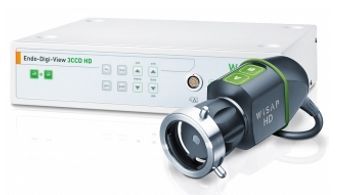
WISAP Endo-Digi-View 3CCD
 WISAP · Model Endo-Digi-View 3CCD
Full HD 1920 x 1080 Pixel High sensitivity makes brighter images possible High resolution implies razor-sharp images 16: 9 format Digital HD-SDI video output Camera settings via the OSD 5 user settings can be stored Low heat build-up Replaceable camera cable Camera head buttons for remote control C-Mount interface for objective lenses.
Key tips
- ·A failed leak test means the scope does not get reprocessed or used - send it for repair, full stop.
- ·A shortened reprocessing cycle is a real infection-control failure, not a minor deviation - follow AAMI ST91 exactly.
- ·Track light-source lamp-hours against the manufacturer's limit rather than running to failure.
Typical Failure Modes
Compiled for this model from its own documentation and established engineering knowledge for this equipment class - not from a verified service record. Confirm against the manufacturer's service manual.
No or dim illumination / lamp fault
HighSymptoms: No light output, dim or flickering light, lamp-hours alarm, colour shift.
Root cause: Xenon / LED lamp at end of life, a lamp power supply fault, or a light-cable fault.
Poor video image
HighSymptoms: Noisy, dark, discoloured or out-of-focus image, dropouts, no image.
Root cause: Camera head / coupler fault, a camera-cable fault, or a CCU / video-processor fault.
White-balance / colour fault
MediumSymptoms: Cannot white-balance, persistent colour cast.
Root cause: Camera head sensor drift, a dirty coupler, or the light source colour temperature.
Overheating / fan fault
LowSymptoms: Thermal shutdown, loud fan, hot exhaust.
Root cause: Failed or clogged cooling fan.
Output / connector fault
LowSymptoms: Signal only on one output, connector damage, HD/SDI dropout.
Root cause: Worn video output connector or an output board fault.
Serviceable Parts & Consumables
Serviceable items for this model, compiled from its documentation and engineering knowledge for this equipment class. Service class and relative cost are estimates, not manufacturer figures; no part numbers are given. Confirm intervals and pricing against the manufacturer.
Xenon / LED lamp module
Class Frequent wear itemRel. cost $$$R&R Fairly easy
Camera head / coupler
Class Periodic replacementRel. cost $$$R&R Moderate
Camera cable
Class Periodic replacementRel. cost $$R&R Fairly easy
Fibre-optic light cable
Class Periodic replacementRel. cost $$R&R Easy
CCU / video-processor board
Class Major service partRel. cost $$$R&R Difficult
| Part | Service class | Relative cost | R&R difficulty |
|---|---|---|---|
| Xenon / LED lamp module | Frequent wear item | $$$ | Fairly easy |
| Camera head / coupler | Periodic replacement | $$$ | Moderate |
| Camera cable | Periodic replacement | $$ | Fairly easy |
| Fibre-optic light cable | Periodic replacement | $$ | Easy |
| CCU / video-processor board | Major service part | $$$ | Difficult |
Relative cost: $ lowest · $$$$ highest service-part cost for this equipment class. Not a price.
PM Checklist
Preventive-maintenance tasks typical of this equipment class. Perform to the manufacturer's procedure and your facility's policy - this is general reference, not a schedule for this specific unit.
- ·Leak testing before each reprocessing cycle
- ·Scope reprocessing per AAMI ST91
- ·Light source lamp-hour tracking
- ·Annual full PM
Troubleshooting Approach
A starting sequence for this model, compiled from its documentation and engineering knowledge for this equipment class. Follow the manufacturer's service documentation for the actual procedure.
Symptom: No or dim light
- Check the lamp-hours counter and replace the lamp module if near / past its rating.
- Inspect the fibre-optic light cable for dark (broken) fibres against a bright light.
- Confirm the lamp strikes (listen / watch) and the fan runs.
- Replace the lamp power supply if the lamp will not strike.
- Verify full brightness with a fresh cable.
Symptom: Poor video image
- Clean the scope lens and coupler and re-white-balance.
- Swap the camera head and cable to isolate head vs CCU.
- Confirm the light source output and cable.
- Try a second monitor / output cable.
- Replace the camera head or refer the CCU as isolated.
Typical Location
Where this class of equipment is typically deployed - general reference, not this unit's own placement record.
- Endoscopy suite / GI lab
- Operating Room
- Bronchoscopy suite
Documents & Manuals
Troubleshoot this device with Bio
Describe a symptom or error code. Bio answers from this device's own documented error codes, failure modes, parts, and guides.
Ask Bio