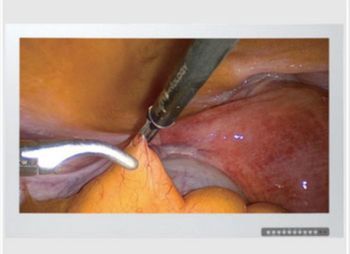
Skytron Optik View 55
 Skytron · Model Optik View 55
55” viewing area 1920 x 1080 resolution Accommodates major source types: DVI, HDMI, VGA, Display Port, SDI, analog RGB, AV signal, color and S-video Picture-in-Picture and Picture-and-Picture formats available 1PX1 liquid resistant front panel Fanless design promotes a sterile surgical environment Includes remote control 10501103 includes 3G-SDI input and anti-reflective glass.
Key tips
- ·When no category-specific guidance fits, default to the manufacturer's own service manual and the general troubleshooting method in the Engineer's Guide.
- ·Run an incoming and annual electrical safety test regardless of how niche the device is.
Typical Failure Modes
Compiled for this model from its own documentation and established engineering knowledge for this equipment class - not from a verified service record. Confirm against the manufacturer's service manual.
A parameter drops out or reads wrong
HighSymptoms: ECG, IBP, SpO2, temperature, CO2 or CO intermittently drops or is implausible.
Root cause: Worn patient cable / sensor, or a parameter-module / input-board fault.
NIBP will not measure or is inaccurate
MediumSymptoms: NIBP times out, cuff will not inflate / hold, readings implausible.
Root cause: Internal NIBP pump or valve, a cuff / hose leak, or a pressure-transducer fault.
Module / parameter not recognised
MediumSymptoms: The host does not display a plugged-in module or a built-in parameter.
Root cause: Docking / connector fault or an internal board fault.
Display / touchscreen fault
MediumSymptoms: Blank, dim or distorted display; unresponsive touchscreen.
Root cause: Display, backlight, or controller fault.
Battery / power fault
MediumSymptoms: Short battery run time, will not hold charge, will not power on.
Root cause: Aged battery pack or a power-supply fault.
Network / central-station connectivity fault
LowSymptoms: Monitor not shown at the central station, admit fails, intermittent drop.
Root cause: Wired / Wi-Fi network configuration or a communication board.
Serviceable Parts & Consumables
Serviceable items for this model, compiled from its documentation and engineering knowledge for this equipment class. Service class and relative cost are estimates, not manufacturer figures; no part numbers are given. Confirm intervals and pricing against the manufacturer.
Patient cable set (ECG / IBP / SpO2 / temp)
Class Frequent wear itemRel. cost $$R&R Easy
NIBP cuff and hose
Class Frequent wear itemRel. cost $R&R Easy
Internal NIBP pump / valve
Class Major service partRel. cost $$$R&R Difficult
Parameter module / input board
Class Major service partRel. cost $$$R&R Difficult
Battery pack
Class Periodic replacementRel. cost $$R&R Fairly easy
Display / touchscreen assembly
Class Major service partRel. cost $$$R&R Moderate
| Part | Service class | Relative cost | R&R difficulty |
|---|---|---|---|
| Patient cable set (ECG / IBP / SpO2 / temp) | Frequent wear item | $$ | Easy |
| NIBP cuff and hose | Frequent wear item | $ | Easy |
| Internal NIBP pump / valve | Major service part | $$$ | Difficult |
| Parameter module / input board | Major service part | $$$ | Difficult |
| Battery pack | Periodic replacement | $$ | Fairly easy |
| Display / touchscreen assembly | Major service part | $$$ | Moderate |
Relative cost: $ lowest · $$$$ highest service-part cost for this equipment class. Not a price.
PM Checklist
Preventive-maintenance tasks typical of this equipment class. Perform to the manufacturer's procedure and your facility's policy - this is general reference, not a schedule for this specific unit.
- ·Follow the manufacturer's PM schedule
- ·Perform incoming and annual electrical safety testing per facility biomedical program
Troubleshooting Approach
A starting sequence for this model, compiled from its documentation and engineering knowledge for this equipment class. Follow the manufacturer's service documentation for the actual procedure.
Symptom: A parameter drops out
- Reseat the patient cable at the module / monitor.
- Swap in a known-good cable / sensor for that parameter.
- Dock the module on a different host / slot to isolate module vs host.
- Inspect the docking connector for bent pins.
- Replace the cable, or refer the module / input board if the fault stays with it.
Symptom: NIBP problem
- Leak-test the cuff and hose.
- Run the monitor's NIBP calibration verification.
- Check for a kinked hose or a positional patient limb.
- Verify NIBP against a reference / simulator.
- Refer the monitor for internal pump / valve service if it persists.
Typical Location
Where this class of equipment is typically deployed - general reference, not this unit's own placement record.
- Varies by device - check the unit's own manual for facility placement guidance
Documents & Manuals
Troubleshoot this device with Bio
Describe a symptom or error code. Bio answers from this device's own documented error codes, failure modes, parts, and guides.
Ask Bio