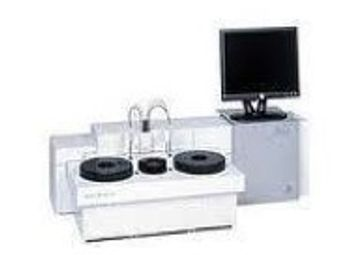
Siemens Viva E
 Siemens Healthineers · Model Viva E
Easy to use - User-friendly interface based on Windows software Efficient - Liquid ready-to-use reagents stored on board; minimal calibration/control requirements; very little maintenance required Effective - Results ready in as little as 10 minutes Excellence - Features Syva EMIT Assays – the gold standard in drugs of abuse testing Enduring Expertise - Extensive menu for drugs of abuse, validity, toxicology and therapeutic drug testing including immunosuppressive drug testing.
Key tips
- ·Run QC controls before trusting any repair - an analyzer that passes self-test can still report clinically wrong results.
- ·Rule out a reagent lot change before opening the instrument - it can look exactly like a hardware fault.
- ·Centrifuge rotors have a hard retirement age/cycle limit regardless of visible condition - don't eyeball it.
Typical Failure Modes
Compiled for this model from its own documentation and established engineering knowledge for this equipment class - not from a verified service record. Confirm against the manufacturer's service manual.
Assay / QC failure across a channel or the whole system
HighSymptoms: Controls out of range, calibration fails, flagged results, drift over a shift.
Root cause: Reagent or cuvette issue, lamp ageing, a probe / mixer / wash-station fault, or ISE-module problems.
Sample / reagent probe clog or crash
MediumSymptoms: Short aspiration, no dispense, clot detection, probe-position error.
Root cause: Clogged or bent probe, or a clot in the sample.
Cuvette / reaction-rotor fault
MediumSymptoms: High cuvette blanks, non-uniform results by position, rotor-drive error.
Root cause: Worn / scratched cuvettes or a wash fault, or a rotor-drive fault.
ISE module fault (Na / K / Cl)
MediumSymptoms: Electrolyte results biased or noisy, ISE calibration fails.
Root cause: Aged ISE electrodes / reference, or a pinch-valve / tubing fault.
Water / vacuum / pressure system fault
MediumSymptoms: Multiple station alarms, priming failures, poor wash.
Root cause: Water / DI supply quality, a pump, or a vacuum / pressure regulator.
Serviceable Parts & Consumables
Serviceable items for this model, compiled from its documentation and engineering knowledge for this equipment class. Service class and relative cost are estimates, not manufacturer figures; no part numbers are given. Confirm intervals and pricing against the manufacturer.
Sample / reagent probes
Class Periodic replacementRel. cost $$R&R Moderate
Photometer lamp
Class Frequent wear itemRel. cost $$R&R Moderate
Reaction cuvettes / segment
Class Frequent wear itemRel. cost $$R&R Easy
ISE electrodes (Na / K / Cl) & reference
Class Frequent wear itemRel. cost $$R&R Fairly easy
Peristaltic / pinch-valve tubing
Class Frequent wear itemRel. cost $R&R Moderate
| Part | Service class | Relative cost | R&R difficulty |
|---|---|---|---|
| Sample / reagent probes | Periodic replacement | $$ | Moderate |
| Photometer lamp | Frequent wear item | $$ | Moderate |
| Reaction cuvettes / segment | Frequent wear item | $$ | Easy |
| ISE electrodes (Na / K / Cl) & reference | Frequent wear item | $$ | Fairly easy |
| Peristaltic / pinch-valve tubing | Frequent wear item | $ | Moderate |
Relative cost: $ lowest · $$$$ highest service-part cost for this equipment class. Not a price.
PM Checklist
Preventive-maintenance tasks typical of this equipment class. Perform to the manufacturer's procedure and your facility's policy - this is general reference, not a schedule for this specific unit.
- ·Daily QC controls run and reviewed
- ·Calibration verification per assay
- ·Routine cleaning and decontamination
- ·Scheduled reagent-path and pump-tubing maintenance
Error Codes
Extracted directly from this unit's own service manual.
INSUFFICIENT SAMPLEThe safety switch of the sample needle is activated (sample cup empty). Liquid detection of the sample needle is not detecting any liquid after aspirating the sample (detection of air bubbles). Error message Cause Action Error message Cause Action E02 SYSTEM EMERGENCY HALT Sample or reagent arm, for example, were accidentally touched during measurement. The analyzer immediately interrupts all operations. Eliminate the error if possible and select SHIFT+F6 RESET SYSTEM. The analyzer then asks you on the screen, whether the interrupted measurements, the results of which were cancelled, shoul
E05 NO CLEAN CUVETTEIf no clean cuvette is available on the cuvette rotor, (e.g. caused by a vacuum error), the wash arm with the dry block does not move down to the bottom of the cuvette to prevent contamination of the dry block. Thus no clean cuvette is available in the analyzer. Eliminate the error if possible (for example, clean and dry the rotor manually, install a new one or refill it) and select SHIFT+F6 RESET SYSTEM. If the error occurs again, inform the Technical Support. E07 SYSTEM RESET INCOMPLETE Due to further errors the system reset was incomplete. Eliminate the error if possible and select SHIFT+F6
E10 NO VACUUMVacuum pump defective. Vacuum tubing defect or clamped. Vacuum sensor defective or not well adjusted.The vacuum is not sufficient for a period longer than 2.5 seconds. Select F1 CHECK AGAIN and inform the service personnel. Check that the tubing that connects the analyzer with the pump unit or the analyzer with the bottles is not kinked or clogged. Service personnel only: Check if the vacuum pump is working properly and replace the membrane or the complete vacuum pump, if necessary. Check the vacuum tubing for leakage. Check the vacuum sensor and re-adjust it, if necessary.
E11 WASTE FULLThe WASTE FULL signal is "high" for 1 second (or longer). Empty the waste container. Check if the waste container floating switch is working properly and replace/repair it, if necessary. Check the wiring. Service personnel only: Check if the waste full signal detection signal is present on the system board. When the signal is present, malfunctioning of the system board may cause the problem. E12 RUNNING OUT OF WATER The upper level detector detects "No water" in the water container, although the pump is switched on for a period longer than 25 seconds. Check if there is enough system liquid in
E13 LAMP FAILUREA counter over range signal is detected during a measurement. The signal counter over range signal is generated when the photocell signal is too low. When the blank data values are incorrect too, the gain setting of an input amplifier is wrong or an input amplifier is defective (on the photometer board). Select F1 CHECK AGAIN. If the error occurs again, check if the lamp is working and replace it, if necessary. Inform the Technical Support. Service personnel only: Check if the lamp voltage is present and well adjusted. Adjust or repair the voltage supply, if necessary. Check if the selected fi
E14 CUVETTES TEMP ERRORSelect F1 CHECK AGAIN. Inform the Technical Support if the error occurs again. E15 REAGENT NEEDLE TEMP ERROR Select F1 CHECK AGAIN. Inform the Technical Support if the error occurs again. E16 CONCENTRATED WASTE FULL (only if the optional container is installed) Empty the optional concentrated waste container. Check if the concentrated waste container floating switch is working properly. Check the wiring.
E17 INSUFFICIENT WATERThe lower level detector detects "No water" in the water container. Check if there is enough system liquid in the container and refill if necessary. Check if the liquid tubing is leaking or if it is blocked and repair if necessary. Check if the filter in the container is blocked and replace if necessary. Service personnel only: Check if the system liquid level detection circuit is working correctly and repair if necessary. E20 SAMPLE SYR. POS. ERROR Press either F5 (Specific Reset) or select SHIFT+F6 RESET SYSTEM. Inform the Technical Support if the error occurs again. E21 SAMPLE SYR. POS. ERR
E22 SAMPLE VALVE ERRORPress either F5 (Specific Reset) or select SHIFT+F6 RESET SYSTEM. Inform the Technical Support if the error occurs again. E23 REAG. SYR. POS. ERROR Press either F5 (Specific Reset) or select SHIFT+F6 RESET SYSTEM. Inform the Technical Support if the error occurs again. E24 REAG. SYR. POS. ERROR
E25 REAG. VALVE ERRORPress either F5 (Specific Reset) or select SHIFT+F6 RESET SYSTEM. Inform the Technical Support if the error occurs again.
E30 PIPETTOR 14V FAILEDInform the Technical Support. E31 PIPETTOR 30V FAILED
E32 PIPETTOR INIT FAILEDInform the Technical Support. E35 SAMPLE SYR RESET FAILED Press either F5 (Specific Reset) or select SHIFT+F6 RESET SYSTEM. Inform the Technical Support if the error occurs again. E36 REAGENT SYR RESET FAILED E37 PIPETTOR COMMUNICATION ERROR Press either F5 (Specific Reset) or select SHIFT+F6 RESET SYSTEM. Inform the Technical Support if the error occurs again.
E40 MEAS.DISK 14V FAILEDInform the Technical Support E41 MEAS.DISK 30V FAILED E42 MEASUREMENT DISK ERROR Press either F5 (Specific Reset) or select SHIFT+F6 RESET SYSTEM.
E43 FILTER ERRORPress either F5 (Specific Reset) or select SHIFT+F6 RESET SYSTEM. Inform the Technical Support if the error occurs again. E52 MEAS.DISK INIT FAILED Inform the Technical Support. E55 MEAS. DISK RESET FAILED Press either F5 (Specific Reset) or select SHIFT+F6 RESET SYSTEM.
E56 FILTER RESET FAILEDPress either F5 (Specific Reset) or select SHIFT+F6 RESET SYSTEM. Inform the Technical Support if the error occurs again. E57 MEAS. DISK COMMUNICATION ERROR Inform the Technical Support. E60 SAMPLE ARM 14V FAILED Inform the Technical Support. E61 SAMPLE ARM 30V FAILED Error message Cause Action ® Maintenance 6-20 VITAL SCIENTIFIC B.V. E62 SAMPLE ARM HORIZONTAL ERROR Press either F5 (Specific Reset) or select SHIFT+F6 RESET SYSTEM. E63 SAMPLE ARM VERTICAL ERROR Press either F5 (Specific Reset) or select SHIFT+F6 RESET SYSTEM. E72 SAMPLE ARM INIT FAILED Inform the Technical Support. E75 SA
E100 DISKS 14V FAILEDInform the Technical Support. E101 DISKS 30V FAILED
E102 REAGENT DISK ERRORPress either F5 (Specific Reset) or select SHIFT+F6 RESET SYSTEM.
E103 SAMPLE DISK ERRORPress either F5 (Specific Reset) or select SHIFT+F6 RESET SYSTEM.
E112 DISKS INIT FAILEDPress either F5 (Specific Reset) or select SHIFT+F6 RESET SYSTEM. E115 REAGENT DISK RESET FAILED Press either F5 (Specific Reset) or select SHIFT+F6 RESET SYSTEM. Error message Cause Action ® Maintenance
E122 WASHARM ERRORPress either F5 (Specific Reset) or select SHIFT+F6 RESET SYSTEM. Make sure the cuvette rotor is placed correctly.
E123 BELLOWS PUMP ERRORPress either F5 (Specific Reset) or select SHIFT+F6 RESET SYSTEM. Note that this error often occurs with other errors. First try to solve the other errors. This error might also disappear then. E124 WATER OVERFLOW MEASUREMENT DISK The wash arm detects that liquid reaches its overflow sensors. In the halted or inactive state remove the cuvette cover, and then continue running. Determine which of the causes 1, 2 or 3 is the case and take the respective action. 1.The wash arm dispenses too much water. Probably all cuvettes under the wash arm show a water overflow. 1.Check that the tubing between
E125 NO CUVETTESThere is no cuvette rotor installed At resetting the wash arm can reach a too low position according to the opto read-out. Check if a cuvette rotor is present and place one, if necessary. Then press F5 (Specific Reset). Service personnel only: Check if the wash arm adjustment is correct. Check if the opto-couplers are malfunctioning and repair them, if necessary. Check if the wash arm is well tightened. E132 WASHARM/ BELLOWSPUMP INIT FAILED Press either F5 (Specific Reset) or select SHIFT+F6 RESET SYSTEM. E135 WASHARM RESET FAILED Press either F5 (Specific Reset) or select SHIFT+F6 RESET SYSTE
F4 ABORTThe measurement is not started. You can return to the F5 REQUEST CALIBRATION menu to change test assignments.
F5 REQUEST CALIBRATIONThe required calibrations are added to the worklist and selected automatically. Press the ENTER key to assign positions to the calibrators and load them in the designated positions on the rotor. When measurement is continued, the calibrators are measured first.
SHIFT+F6 CONTINUEThe tests are performed and the samples for which non-calibrated tests are requested will receive an *INFO* status. This can be viewed via the EVALUATE RESULTS menu.
F2 REAGENT INFOThe instrument goes to the REAGENT INFO screen. The instrument stops pipetting the reagent for the test with insufficient reagent. All other tests continue as normal. The system goes to stand-by mode when all other tests are complete.
F6 SOFT RESETThe low-level component that is in an error condition is reset. If the problem is solved by this, the error message will disappear.
F5 HARD RESETA higher-level component is reset. This also resets the lower-level components that are contained in it. If the problem is solved by this, the error message will disappear.
SHIFT+F6 RESET SYSTEMThe entire system is reset. If the problem is solved by this, the error message will disappear.
ALT+F10 HALTThe system is halted. Have a service engineer check the cause of the error condition. See 6.2.7 Hardware-error messages.
F1 PRINTPrint a report for the currently selected sample.
SHIFT+F1 PRINT WITH R.S.Print a report for the currently selected sample using a custom report setup. See 5.10 Set up a report.
SHIFT+F2 ARCHIVE RESULTSSaves the results to the historic data location defined in the system parameters..
ALT+F2 VIEW HISTORIC RESULTSDisplays archived results located in the historic data location.
F3 BLANK/CALIB INFOGo to the BLANK/CALIB INFO menu.
SHIFT+F4 MEASURE RERUNRerun all measurements for the selected sample. The volumes that are used for the repeated measurement are the volumes that were defined in the field RERUN VOLUME: of the test parameters. Remeasurements start immediately.
ALT+F4 MEASURE AGAINRepeat all measurements for the selected sample. The volumes that are used for the repeated measurement are identical to those that were originally used. Remeasurements start immediately.
Troubleshooting Approach
A starting sequence for this model, compiled from its documentation and engineering knowledge for this equipment class. Follow the manufacturer's service documentation for the actual procedure.
Symptom: QC / calibration failure across a channel or the whole system
- Run fresh controls at all levels and note which analytes fail.
- Confirm reagents are in date, correctly loaded, mixed and not bubbled.
- Run the photometer / lamp-energy check and replace the lamp if energy is low.
- Clean the sample and reagent probes, the mixers and the wash / cuvette-wash stations.
- Recalibrate the affected assay / ISE module and re-run QC.
Symptom: Sample or reagent probe clog / crash / short aspiration
- Inspect the probe for a bend or blockage and clear it (wire / sonicate per the manual).
- Run the fluidics prime and the probe-wash cycle.
- Check for a clot or fibrin in the sample and the liquid-level sensing.
- Verify probe positioning / alignment.
- Replace the probe if aspiration is still short.
Symptom: ISE electrolyte results biased or noisy / ISE calibration fails
- Run the ISE calibration and check the slope / drift against spec.
- Replace an ISE electrode or the reference that is at end of life.
- Check the ISE pinch valves and tubing for wear or air.
- Confirm the ISE standard packs are in date.
- Re-run ISE QC before releasing electrolyte results.
Symptom: High cuvette blanks / position-dependent results
- Run the cuvette blank / photometric check.
- Clean or replace worn / scratched cuvettes or the reaction segment.
- Check the cuvette-wash station nozzles and drying.
- Confirm the water / DI supply quality.
- Recalibrate and re-run QC.
Technical Specs
- Height
- 18 in
- Length
- 22 in
- Width
- 45 in
Typical Location
Where this class of equipment is typically deployed - general reference, not this unit's own placement record.
- Central / core laboratory
- Point-of-care testing stations
- Blood bank
- Microbiology lab
Documents & Manuals
Related calculators
From BioLab, for work done with this kind of equipment.
Troubleshoot this device with Bio
Describe a symptom or error code. Bio answers from this device's own documented error codes, failure modes, parts, and guides.
Ask Bio