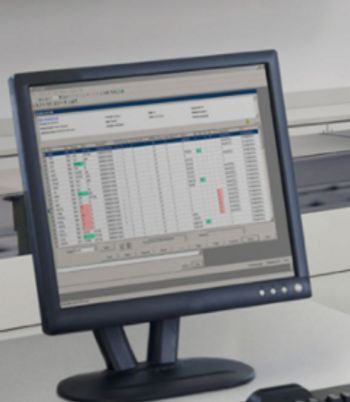
Siemens ADVIA CentraLink Data Management System
 Siemens Healthineers · Model ADVIA CentraLink Data Management System
Provides a secure, integrated foundation for automating and consolidating data laboratory-wide and improving workflow and quality control Supports up to two ADVIA automation systems, 32 instruments, and 15 user workstations connected via a single communication link Stores up to 40 million active patient results, dramatically improving data management and enabling your lab to process larger workflows Automates system processes and lab operations to enhance data management, quality control and efficiency.
Key tips
- ·Run QC controls before trusting any repair - an analyzer that passes self-test can still report clinically wrong results.
- ·Rule out a reagent lot change before opening the instrument - it can look exactly like a hardware fault.
- ·Centrifuge rotors have a hard retirement age/cycle limit regardless of visible condition - don't eyeball it.
Typical Failure Modes
Failure patterns typical of this equipment class - general BMET reference, not verified against this exact unit's own service history unless flagged. Severity is a category-level estimate.
Reagent / wash flow fault
MediumSymptoms: Clogs, high blank, QC fail.
Root cause: Pump tube wear, air in line.
Optics / lamp degradation
LowSymptoms: Low signal, wavelength drift.
Root cause: Lamp/LED or monochromator aging.
Centrifuge imbalance / bearing
HighSymptoms: Vibration, loud noise, stop error.
Root cause: Worn bearing or unbalanced rotor.
Temperature control fault
MediumSymptoms: Incubator out of range.
Root cause: Failed heater/fan or sensor.
Serviceable Parts & Consumables
The parts a BMET typically services on this class of equipment. Service class and relative cost are general engineering estimates for the category, not figures from this unit's documentation. Part numbers appear only when pulled from this unit's own service manual. Always confirm intervals and pricing against the manufacturer.
Incubator heater / fan
Class Periodic replacementRel. cost $$R&R Moderate
Sample aspiration probe
Frequent R&R on high-throughput analyzers.
Class Periodic replacementRel. cost $$$R&R Moderate
Peristaltic pump tubing
Consumable, replace proactively.
Class Frequent wear itemRel. cost $R&R Easy
Xenon / LED light source
Class Periodic replacementRel. cost $$$R&R Moderate
| Part | Service class | Relative cost | R&R difficulty |
|---|---|---|---|
| Incubator heater / fan | Periodic replacement | $$ | Moderate |
| Sample aspiration probe Frequent R&R on high-throughput analyzers. | Periodic replacement | $$$ | Moderate |
| Peristaltic pump tubing Consumable, replace proactively. | Frequent wear item | $ | Easy |
| Xenon / LED light source | Periodic replacement | $$$ | Moderate |
Relative cost: $ lowest · $$$$ highest service-part cost for this equipment class. Not a price.
PM Checklist
Preventive-maintenance tasks typical of this equipment class. Perform to the manufacturer's procedure and your facility's policy - this is general reference, not a schedule for this specific unit.
- ·Daily QC controls run and reviewed
- ·Calibration verification per assay
- ·Routine cleaning and decontamination
- ·Scheduled reagent-path and pump-tubing maintenance
Error Codes
Extracted directly from this unit's own service manual.
b_sample record not on fileThis error is generated when concurrently communicating with the ADVIA 120 system and working on the ADVIA CentraLink system.
Upon display of this error, you can close the Review and Edit window, reopen the window, and requery the same sample. The error message no longer displays when system processing is complete.
Tsl$TimeOutAppl()The following message may display when you manually upload QC data to the LIS.
If this message displays, click OK to close the message. No further action is necessary. If message continues, contact your local Bayer HealthCare representative or distributor.
Troubleshooting Approach
A structured starting point derived from the failure modes above. Follow the manufacturer's service documentation for the actual procedure.
Symptom: Sample probe / pipette clog
- Confirm the presentation - typically aspiration error, short sample, carryover - and note the exact alarm or message and the conditions when it occurs.
- Check the most likely cause first: clot/crystal obstruction.
- Isolate the affected subsystem using the manufacturer's functional check or self-test, where one is provided.
- If the fault is confirmed and not a field adjustment, service or replace the sample aspiration probe per the manufacturer's service documentation.
- Return the device to service only after the manufacturer's functional and applicable electrical-safety checks pass.
- Record the findings, any parts used, and the verification results in the maintenance history.
Symptom: Reagent / wash flow fault
- Confirm the presentation - typically clogs, high blank, QC fail - and note the exact alarm or message and the conditions when it occurs.
- Check the most likely cause first: pump tube wear, air in line.
- Isolate the affected subsystem using the manufacturer's functional check or self-test, where one is provided.
- If the fault is confirmed and not a field adjustment, service or replace the peristaltic pump tubing per the manufacturer's service documentation.
- Return the device to service only after the manufacturer's functional and applicable electrical-safety checks pass.
- Record the findings, any parts used, and the verification results in the maintenance history.
Typical Location
Where this class of equipment is typically deployed - general reference, not this unit's own placement record.
- Central / core laboratory
- Point-of-care testing stations
- Blood bank
- Microbiology lab
Documents & Manuals
Troubleshoot this device with Bio
Describe a symptom or error code. Bio answers from this device's own documented error codes, failure modes, parts, and guides.
Ask Bio