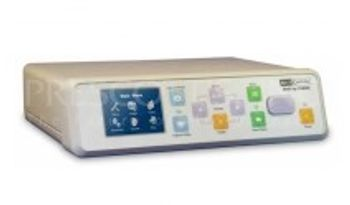
MediCapture USB 200 SD
 MediCapture · Model USB 200 SD
Captures and stores video and still images on a USB flash drive. Works with existing ultrasounds, endoscopes, C-Arms, surgical microscopes, etc. Color LCD monitor on front panel. Bright, crisp color screen facilitates easy navigation and confirmation of image capture. Easy installation. Just plug it in and start capturing. Little or no training needed. Simply push a button to capture a video or still image of what users are watching on a monitor. Affordable. Revolutionary technology allows the USB200 to be priced at a level any practice, clinic or hospital can afford. Small, portable, and rugged. The USB200’s compact design easily fits on medical equipment carts and is designed for demanding hospital environments. Powerful, friendly features. Capture via button, foot switch, or the trigger on a imaging device. Review user's captured images and video on a monitor.
Key tips
- ·A failed leak test means the scope does not get reprocessed or used - send it for repair, full stop.
- ·A shortened reprocessing cycle is a real infection-control failure, not a minor deviation - follow AAMI ST91 exactly.
- ·Track light-source lamp-hours against the manufacturer's limit rather than running to failure.
Typical Failure Modes
Compiled for this model from its own documentation and established engineering knowledge for this equipment class - not from a verified service record. Confirm against the manufacturer's service manual.
No or poor recording / capture
HighSymptoms: Recording will not start, files corrupt, no input signal, poor image.
Root cause: Input-board / video-input fault, a cable / connector fault, or a codec / storage fault.
Storage / media fault
MediumSymptoms: "Disk full" or write errors, USB / DVD not recognised, exported files unreadable.
Root cause: Full or failing internal drive, or a worn optical / USB drive.
Network / PACS / export fault
MediumSymptoms: Studies will not send, worklist missing, share not reachable.
Root cause: Network configuration or the PACS / share connection.
Footswitch / trigger fault
LowSymptoms: Capture will not trigger from the pedal or camera button.
Root cause: Footswitch or trigger cable fault.
Fan / power fault
LowSymptoms: Overheats, shuts down, or will not power on.
Root cause: Cooling fan or power supply.
Serviceable Parts & Consumables
Serviceable items for this model, compiled from its documentation and engineering knowledge for this equipment class. Service class and relative cost are estimates, not manufacturer figures; no part numbers are given. Confirm intervals and pricing against the manufacturer.
Video input / capture board
Class Major service partRel. cost $$$R&R Difficult
Internal storage drive
Class Periodic replacementRel. cost $$R&R Moderate
Optical / USB drive
Class Periodic replacementRel. cost $R&R Fairly easy
Footswitch / trigger cable
Class Periodic replacementRel. cost $R&R Fairly easy
Cooling fan / power supply
Class Major service partRel. cost $R&R Moderate
| Part | Service class | Relative cost | R&R difficulty |
|---|---|---|---|
| Video input / capture board | Major service part | $$$ | Difficult |
| Internal storage drive | Periodic replacement | $$ | Moderate |
| Optical / USB drive | Periodic replacement | $ | Fairly easy |
| Footswitch / trigger cable | Periodic replacement | $ | Fairly easy |
| Cooling fan / power supply | Major service part | $ | Moderate |
Relative cost: $ lowest · $$$$ highest service-part cost for this equipment class. Not a price.
PM Checklist
Preventive-maintenance tasks typical of this equipment class. Perform to the manufacturer's procedure and your facility's policy - this is general reference, not a schedule for this specific unit.
- ·Leak testing before each reprocessing cycle
- ·Scope reprocessing per AAMI ST91
- ·Light source lamp-hour tracking
- ·Annual full PM
Troubleshooting Approach
A starting sequence for this model, compiled from its documentation and engineering knowledge for this equipment class. Follow the manufacturer's service documentation for the actual procedure.
Symptom: No or poor recording
- Confirm a valid input signal on each source (SDI / HDMI / DVI / composite).
- Swap the input cable and try another input.
- Check free storage space and test a short recording.
- Update / reset the codec settings per the manual.
- Replace the capture board if an input is confirmed dead.
Symptom: Storage or export fault
- Check free space and the internal drive health.
- Test export to USB and to the network share separately.
- Confirm the PACS / share settings and credentials.
- Replace a failing internal or optical drive.
- Verify an exported study opens on another workstation.
Typical Location
Where this class of equipment is typically deployed - general reference, not this unit's own placement record.
- Endoscopy suite / GI lab
- Operating Room
- Bronchoscopy suite
Documents & Manuals
No documents available for this device yet.
Troubleshoot this device with Bio
Describe a symptom or error code. Bio answers from this device's own documented error codes, failure modes, parts, and guides.
Ask Bio