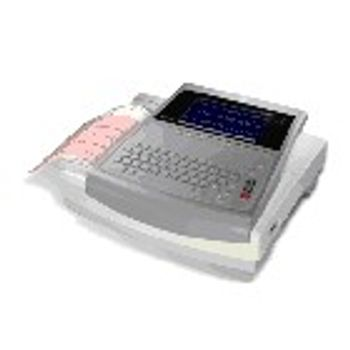
GE HealthCare MAC 1600
 GE HealthCare · Model MAC 1600
Diagnostic confidence Recognized across the globe as one of the most validated programs in the industry, the optional GE Marquette 12SL ECG analysis program provides true, computer-interpreted analysis of adult and pediatric populations. Signal quality The Marquette 12SL Hookup Advisor™ ensures ECG signal quality from the start. This exclusive GE algorithm goes beyond simple electrical checks to advise clinicians of poor waveform quality during the recording of ECGs. Easy configuration The MAC 1600 automatically captures 10-second ECGs with one-touch operation. Additionally, you can select the rhythm ECG mode to continuously review all 12 leads, or the arrhythmia mode for an extended review of arrhythmias or events. Comprehensive The MAC 1600 offers more than just acquisition. Its online editing and re-analysis of ECG waveform capabilities enhance the accuracy of patients records. Connected and scalable Not only is the MAC 1600 capable of seamlessly connecting to the MUSE and CardioSoft information systems, it also adapts to your specific needs and can be expanded as those needs grow. EMR Ready The MAC 1600 connects easily to your EMR system through GEs CardioSoft software.
Key tips
- ·A no-signal/flatline alarm gets checked on the patient first, not the monitor - rule out a real clinical event before troubleshooting.
- ·Recalibrate NIBP against a reference manometer, not just a self-test pass.
- ·Reused patient cables (SpO2, ECG leads) are a common source of intermittent-fault complaints - swap the cable before the module.
Typical Failure Modes
Compiled for this model from its own documentation and established engineering knowledge for this equipment class - not from a verified service record. Confirm against the manufacturer's service manual.
Noisy ECG / lead-off
HighSymptoms: Baseline wander, muscle or AC noise, "lead fail", poor 12-lead quality.
Root cause: Poor skin prep, dried or lifting electrodes, or a worn patient cable / lead set.
Will not acquire or analyse
MediumSymptoms: Acquisition hangs, no interpretation, or a self-test failure.
Root cause: Acquisition-module fault or a software issue.
Printer / recorder fault
MediumSymptoms: No or faint report, paper jam, misregistered grid.
Root cause: Thermal print head, paper handling, or (older units) the stylus.
Battery / power fault
MediumSymptoms: Short battery run time, will not hold charge, will not power on.
Root cause: Aged battery pack.
Connectivity fault
LowSymptoms: ECGs will not transmit to the ECG-management system / EMR.
Root cause: Network / Wi-Fi / modem configuration or the communication module.
Serviceable Parts & Consumables
Serviceable items for this model, compiled from its documentation and engineering knowledge for this equipment class. Service class and relative cost are estimates, not manufacturer figures; no part numbers are given. Confirm intervals and pricing against the manufacturer.
Patient cable / 10-lead set
Class Frequent wear itemRel. cost $$R&R Easy
Acquisition module
Class Major service partRel. cost $$$R&R Moderate
Thermal print head / paper
Class Periodic replacementRel. cost $R&R Fairly easy
Battery pack
Class Periodic replacementRel. cost $$R&R Fairly easy
Communication / modem module
Class Major service partRel. cost $$R&R Moderate
| Part | Service class | Relative cost | R&R difficulty |
|---|---|---|---|
| Patient cable / 10-lead set | Frequent wear item | $$ | Easy |
| Acquisition module | Major service part | $$$ | Moderate |
| Thermal print head / paper | Periodic replacement | $ | Fairly easy |
| Battery pack | Periodic replacement | $$ | Fairly easy |
| Communication / modem module | Major service part | $$ | Moderate |
Relative cost: $ lowest · $$$$ highest service-part cost for this equipment class. Not a price.
PM Checklist
Preventive-maintenance tasks typical of this equipment class. Perform to the manufacturer's procedure and your facility's policy - this is general reference, not a schedule for this specific unit.
- ·Routine cable and lead-wire inspection for fraying/wear
- ·Battery conditioning cycle
- ·NIBP calibration check against a reference manometer
- ·ECG / SpO2 accuracy verification against a patient simulator
- ·Annual electrical safety test
Troubleshooting Approach
A starting sequence for this model, compiled from its documentation and engineering knowledge for this equipment class. Follow the manufacturer's service documentation for the actual procedure.
Symptom: Noisy ECG
- Re-prep the skin and fit fresh electrodes.
- Secure the lead wires and route away from AC sources.
- Swap in a known-good patient cable / lead set.
- Check the acquisition-module connection.
- Confirm a clean 12-lead on a simulator.
Symptom: Will not print or transmit
- Check the paper and clean the print head.
- Print a test grid / pattern.
- Confirm the network / Wi-Fi / modem settings and send a test ECG.
- Reboot the cart.
- Escalate a persistent print or communication fault.
Technical Specs
- EKG/ECG Type
- Rest
Typical Location
Where this class of equipment is typically deployed - general reference, not this unit's own placement record.
- ICU / CCU
- Emergency Department
- OR / PACU
- General med-surg floors
- Step-down units
- Telemetry units
Documents & Manuals
Related calculators
From BioLab, for work done with this kind of equipment.
Troubleshoot this device with Bio
Describe a symptom or error code. Bio answers from this device's own documented error codes, failure modes, parts, and guides.
Ask Bio