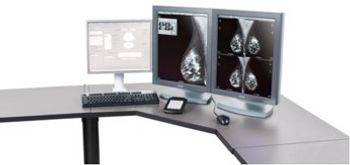
GE HealthCare IDI Mammo Workstation
 GE HealthCare · Model IDI Mammo Workstation
Seamless Connectivity - If you’re working with different breast imaging modalities, various patient management systems, or multi-vendor equipment, IDI Workflow Solution can help with features like: RIS/PACS integration: it integrates with most RIS and PACS systems, providing up-to-date worklist and fast access to priors. Automatic fetching of priors: for each exam in your worklist, it launches a search of corresponding priors and automatically fetches them. Seamless collaboration: you’ll have access to clinical and image data from multiple locations. Reading worklist generation: you can generate reading worklists via RIS, HIS, MIS, or when you complete exams at the modality. Intuitive Viewing and Reporting - The IDI Workflow Solution takes image review to the next level with intelligent tools that help you move swiftly through cases. Easily compare current and prior data cases: regardless of which equipment was used to acquire images, you can easily compare current and prior data cases through vendor-specific window-width and window-level presets. View images from other modalities: you can view images from other imaging modalities, including FFDM, CR, DR, MR, and U/S, quickly and easily. Leave image alignment and scaling to us: the system automatically aligns and scales images to fit your screen, from a variety of origins. View patient information easily: the IDI Mammography toolkit puts a complete set of measurement, annotation, and viewing features at your fingertips. Read quality images: with Premium View, you have an image processing algorithm that enhances the global contrast of a GE mammography image according to your preferences. Annotate images as you view them: you can annotate images using sizable markers and pre-defined selections as you view them. Make the keypad work for you: you have the option to move from a different view or patient, adjust brightness, zoom or reset view.
Documents & Manuals
No documents available for this device yet.
Safety & Recalls
Synced live from the FDA openFDA API.
- RECALL
It has been identified that in a reject image workflow where multiple studies are simultaneously opened on the Centricity PACS RA1000 workstation and images are rejected from the active displayed study, images for the previously displayed study may also be rejected. The issue can occur with a previously displayed study that remains open in the background. If one or more, but not all, images in
- RECALL
Using Merge Exam in single Study Mode may result in Missing Study Record (Cannot Display Exam, Send Exam, etc). Exam merge in Single Study Mode may fail on &
- RECALL
GE Healthcare has recently became aware of a possible mismatch between the label of the tracked vessel and the underlying image associated with the cardio- vascular applications of the Advantage workstation that may impact patient safety.
Troubleshoot this device with Bio
Describe a symptom or error code. Bio answers from this device's own documented error codes, failure modes, parts, and guides.
Ask Bio