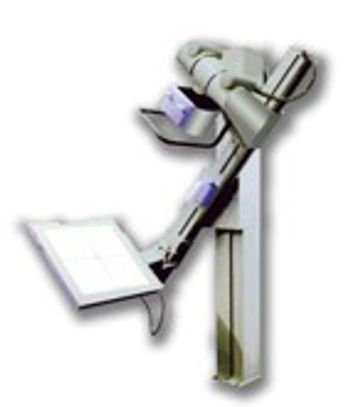
Canon CXDI-40EG
 Canon · Model CXDI-40EG
Immediate Results An on-screen preview image is available in just 3-5 seconds after exposure. The streamlined procedure eliminates film development, cassette replacement, and other process steps. A monitor (not included) can be added for viewing high-resolution images in the emergency department or radiography suite. Enhanced Productivity and Program Imaging Mode Program Imaging Mode for Canon CXDI Digital Radiography control software with DICOM Modality Worklist assists in optimizing workflow in the imaging suite. This high performance solution utilizes the Procedure Code ID from the RIS to configure the exam on the CXDI Digital Radiography system. LANMIX MLT(S) Image Processing In addition to Canon’s advanced noise reduction processing, MLT(S) image processing utilizes the multiple frequencies within the image data to emphasize edges and display appropriate dynamic range. Images of extremities, for example, show the subtle details of trabecular bone structure and soft tissue in high diagnostic accuracy. This process can be preset for repeatability as well as adjusted post-acquisition for variances in diagnostic requirements. Canon’s LANMIT Technology Amorphous Silicon (a-Si) Flat Panel Sensor (LANMIT®) consists of a precision amorphous silicon metal-insulator semiconductor (MIS) sensor and Thin Film Transistor (TFT) array. LANMIT® flat panel sensors produce a highly stable output signal. The result is a family of reliable and durable sensors that provide the highest quality images without the time and costs involved with film or cassette handling. A 14-bit analog-to-digital conversion process converts the raw image to digital form producing a high-resolution, high-contrast 4,096 grayscale image. Seamless Network Integration Ethernet 10/100/1000 Base T connectivity with DICOM 3.0 compatibility enables seamless data transfer to any DICOM hard copy output device, PACS, or HIS/RIS for efficient printing, archiving, and remote viewing of images. The system complies with IHE (Integrating the Healthcare Enterprise) standards for interoperability to ensure easy, effective integration with the hospital network.
Key tips
- ·Never bypass a radiation interlock to "just get the image" - this is one of the few true zero-tolerance rules in BMET work.
- ·Trend image-quality phantom results over time - drift shows up before an outright failure does.
- ·Portable/mobile units take real physical abuse from transport - check wheel locks and cable strain reliefs more often than fixed units.
Typical Failure Modes
Compiled for this model from its own documentation and established engineering knowledge for this equipment class - not from a verified service record. Confirm against the manufacturer's service manual.
Detector not connecting / dropped images
HighSymptoms: Panel not detected, images not received, wireless / tethered link drops mid-exam.
Root cause: Detector battery (wireless), Wi-Fi / tether cable, a docking / connector fault, or detector electronics.
Image quality / calibration fault
MediumSymptoms: Fixed-pattern artefacts, non-uniformity, dead pixels / lines, calibration overdue or failing.
Root cause: Detector gain / offset calibration, a bad pixel map, or physical detector (drop) damage.
Generator / exposure fault
HighSymptoms: Exposure inhibited, kV / mAs error, no exposure captured, AEC over/under.
Root cause: HV generator, tube, filament supply, or an AEC / interface fault.
Positioner / tube-stand / bucky fault
MediumSymptoms: Tube column, wall stand or table bucky will not track, detent, or auto-position.
Root cause: Drive motor, brake, encoder, or the auto-positioning interface.
Acquisition workstation / PACS fault
MediumSymptoms: Images will not display, process or send; worklist missing; slow processing.
Root cause: Workstation PC, software, or the DICOM / network configuration.
Serviceable Parts & Consumables
Serviceable items for this model, compiled from its documentation and engineering knowledge for this equipment class. Service class and relative cost are estimates, not manufacturer figures; no part numbers are given. Confirm intervals and pricing against the manufacturer.
Flat-panel detector (exchange)
Class Major service partRel. cost $$$$R&R Moderate
Detector battery (wireless)
Class Periodic replacementRel. cost $$R&R Easy
Tether cable / access point
Class Periodic replacementRel. cost $$R&R Fairly easy
Positioner drive / brake / encoder
Class Major service partRel. cost $$$R&R Difficult
Acquisition workstation PC
Class Major service partRel. cost $$$R&R Moderate
AEC ion chamber
Class Major service partRel. cost $$$R&R Difficult
| Part | Service class | Relative cost | R&R difficulty |
|---|---|---|---|
| Flat-panel detector (exchange) | Major service part | $$$$ | Moderate |
| Detector battery (wireless) | Periodic replacement | $$ | Easy |
| Tether cable / access point | Periodic replacement | $$ | Fairly easy |
| Positioner drive / brake / encoder | Major service part | $$$ | Difficult |
| Acquisition workstation PC | Major service part | $$$ | Moderate |
| AEC ion chamber | Major service part | $$$ | Difficult |
Relative cost: $ lowest · $$$$ highest service-part cost for this equipment class. Not a price.
PM Checklist
Preventive-maintenance tasks typical of this equipment class. Perform to the manufacturer's procedure and your facility's policy - this is general reference, not a schedule for this specific unit.
- ·Daily QC per modality: image-quality phantom test
- ·Tube and detector inspection
- ·Annual state-required radiation safety survey
- ·Vendor-scheduled preventive maintenance
Error Codes
Extracted directly from this unit's own service manual.
0x00Success Return value: 0x00 There is no log output in this case.
0x00000001Invalid parameter CXDI description : DICOM connection error (CCRTRANS_ERR_DICOMPARAM) The log output in this case is shown below. ----------------------------------------------------------------------------------- ** -s Silent mode; do not print results of all print commands ** -v Use verbose mode for DUL and SRV facilities ** x Canon Hidden Special Mode node The host name that is running a print
0x10DICOM response error (CCRTRANS_ERR_RESP) After a command request was sent to the server, an error was returned in response.
0x18DICOM response warning (CCRTRANS_WRN_RESP) After a command request was sent to the server, a warning was returned in response. The transfer process was successful, but a warning was returned from the server.
0x20DICOM printer status error (CCRTRANS_ERR_PRN_STATUS) The printer status has returned an error.
0x28DICOM printer status warning (CCRTRANS_WRN_PRN_STATUS) The printer status has returned a warning.
0x00180012DICOM connection error (CCRTRANS_ERR_NOT_CONNECT) The server has not started up.
Troubleshooting Approach
A starting sequence for this model, compiled from its documentation and engineering knowledge for this equipment class. Follow the manufacturer's service documentation for the actual procedure.
Symptom: Detector not connecting / images not received / link drops
- Check the detector battery charge (wireless) or reseat the tether.
- Confirm the Wi-Fi access point, channel and range.
- Reboot the detector and the acquisition workstation.
- Try a known-good detector if the site has one.
- Escalate a confirmed detector-electronics fault to the OEM.
Symptom: Fixed-pattern artefacts / non-uniformity / dead pixels or lines / failed calibration
- Run the detector gain / offset calibration and the dead-pixel map.
- Inspect the detector for drop / crush damage.
- Expose a uniform phantom and check uniformity.
- Confirm the generator and AEC are within spec with an X-ray analyser.
- Exchange the detector if calibration will not hold.
Symptom: No or inconsistent exposure / generator error / kV-mAs inaccuracy
- Note the exact generator error / fault code.
- Confirm the mains supply is within the generator's spec (line-voltage compensation).
- Check the HT cables and the exposure contactor.
- Confirm the tube is not in a thermal lockout.
- Escalate a confirmed inverter / HV-tank / tube / filament fault; verify output with an analyser after any repair.
Symptom: AEC (phototimer) images consistently over- or under-exposed
- Verify the AEC response with a phantom at two thicknesses.
- Check the AEC chamber connections and the selected chambers / density.
- Recalibrate the AEC per the service procedure.
- Compare against a manual technique.
- Replace the AEC chamber if it will not calibrate.
Symptom: Tube stand / table / wall bucky will not track, detent or auto-position
- Check the drive, brake, detents and counterbalance for that axis.
- Inspect the position encoder / potentiometer.
- Check the auto-positioning interface and cabling.
- Adjust or replace the brake / drive hardware.
- Confirm smooth motion and reliable detents / SID.
Technical Specs
- Height
- 2.7 in
- Length
- 21.7 in
- Online Storage Capacity
- 750 images per CXDI-C3 images
- Weight
- 44 lbs
- Detector Type
- Amorphous Silicon
- Pixel Matrix
- 2688 x 2688 pixels
- Width
- 21.7 in
Typical Location
Where this class of equipment is typically deployed - general reference, not this unit's own placement record.
- Radiology / Imaging department
- Emergency Department (portable units)
- Operating Room (C-arms)
- Cath lab
- Bedside ICU (portable X-ray)
Documents & Manuals
Troubleshoot this device with Bio
Describe a symptom or error code. Bio answers from this device's own documented error codes, failure modes, parts, and guides.
Ask Bio