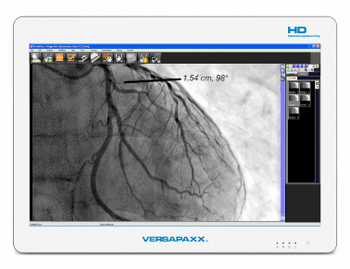
Ampronix VersaPaxx VP222VV
 Ampronix · Model VersaPaxx VP222VV
Analyze, and Transfer Measurements and annotation tools Retrieve from or Store patient files on a disc, USB drive, or network Integrates with PACS Burn to CD / DVD / BLU-RAY Reporting tool with automatic report generation Print from DICOM and Windows printers Video output for large displays.
Key tips
- ·When no category-specific guidance fits, default to the manufacturer's own service manual and the general troubleshooting method in the Engineer's Guide.
- ·Run an incoming and annual electrical safety test regardless of how niche the device is.
Typical Failure Modes
Compiled for this model from its own documentation and established engineering knowledge for this equipment class - not from a verified service record. Confirm against the manufacturer's service manual.
Optical disc drive failure (CD/DVD/Blu-ray)
HighSymptoms: Discs not recognised, burn errors, tray will not open/close, read errors.
Root cause: Worn optical drive laser or mechanism.
PACS / DICOM connectivity fault
MediumSymptoms: Cannot store to or retrieve from PACS, DICOM send/receive fails, worklist empty.
Root cause: Network configuration change, AE-title / port mismatch, or a NIC fault.
Storage drive full or failing
MediumSymptoms: Cannot save studies, slow operation, SMART warnings, boot problems.
Root cause: Local hard drive near capacity or degrading.
Video capture / output fault
MediumSymptoms: No or distorted input from the source modality, no signal to the large display.
Root cause: Capture card, cable, or video-output port fault.
USB / printer output fault
LowSymptoms: USB drive not detected, DICOM or Windows printer will not print.
Root cause: USB port, driver, or spooler fault.
Serviceable Parts & Consumables
Serviceable items for this model, compiled from its documentation and engineering knowledge for this equipment class. Service class and relative cost are estimates, not manufacturer figures; no part numbers are given. Confirm intervals and pricing against the manufacturer.
Optical disc drive (Blu-ray/DVD/CD)
Class Periodic replacementRel. cost $$R&R Fairly easy
Storage hard drive / SSD
Class Periodic replacementRel. cost $$R&R Moderate
Video capture card
Class Major service partRel. cost $$$R&R Moderate
Network interface card
Class Major service partRel. cost $R&R Moderate
Blank optical media
Class Frequent wear itemRel. cost $R&R Easy
| Part | Service class | Relative cost | R&R difficulty |
|---|---|---|---|
| Optical disc drive (Blu-ray/DVD/CD) | Periodic replacement | $$ | Fairly easy |
| Storage hard drive / SSD | Periodic replacement | $$ | Moderate |
| Video capture card | Major service part | $$$ | Moderate |
| Network interface card | Major service part | $ | Moderate |
| Blank optical media | Frequent wear item | $ | Easy |
Relative cost: $ lowest · $$$$ highest service-part cost for this equipment class. Not a price.
PM Checklist
Preventive-maintenance tasks typical of this equipment class. Perform to the manufacturer's procedure and your facility's policy - this is general reference, not a schedule for this specific unit.
- ·Follow the manufacturer's PM schedule
- ·Perform incoming and annual electrical safety testing per facility biomedical program
Troubleshooting Approach
A starting sequence for this model, compiled from its documentation and engineering knowledge for this equipment class. Follow the manufacturer's service documentation for the actual procedure.
Symptom: Discs will not burn or read
- Try known-good media of the correct type and speed.
- Clean or test the drive; listen for the tray mechanism.
- Test read and write on a second machine's drive if possible.
- Replace the optical drive if errors persist with good media.
- Verify a full burn-and-verify cycle.
Symptom: Cannot reach PACS
- Ping the PACS server and confirm the local IP/gateway are correct.
- Verify the AE title, IP and port for both the workstation and PACS match.
- Send a DICOM echo (C-ECHO) to test association.
- Check a recent network or PACS-side change.
- If the network is fine but association fails, review the DICOM configuration and NIC.
Typical Location
Where this class of equipment is typically deployed - general reference, not this unit's own placement record.
- Varies by device - check the unit's own manual for facility placement guidance
Documents & Manuals
Troubleshoot this device with Bio
Describe a symptom or error code. Bio answers from this device's own documented error codes, failure modes, parts, and guides.
Ask Bio